
The summary
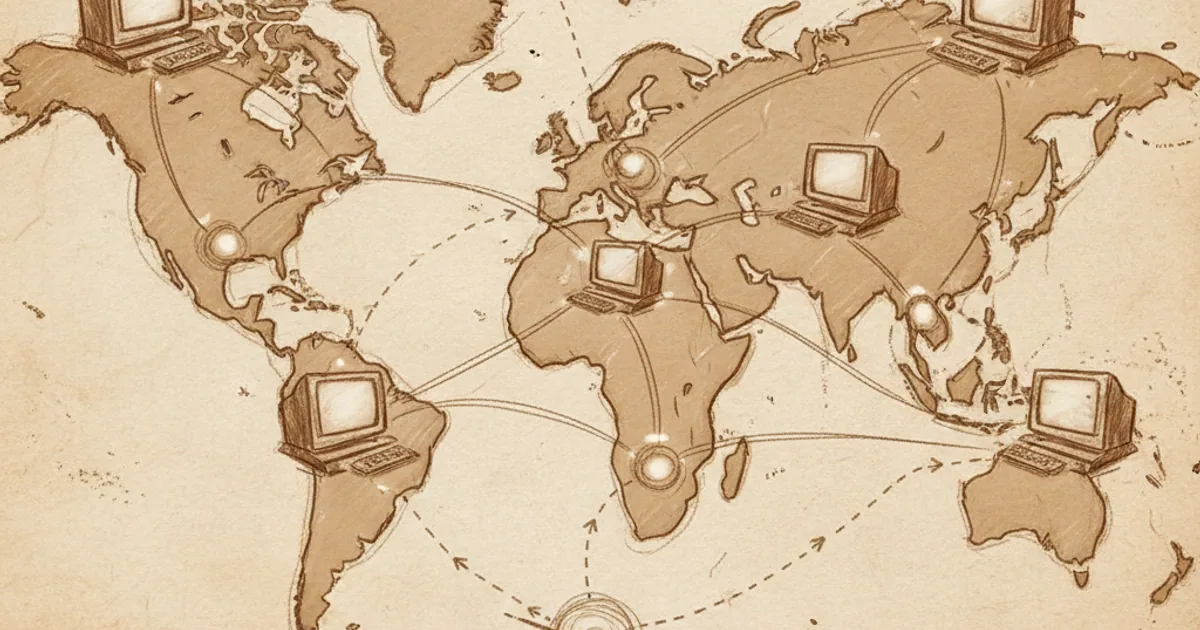
When you load a webpage, you trigger a small miracle of coordination across thousands of machines you'll never see. The page might be on a server in Frankfurt; you might be in São Paulo; the data crosses dozens of intermediate routers in milliseconds, split into pieces, reassembled, and rendered on your screen. All of this happens between you typing the URL and the page appearing.
The architecture that makes this work has a few key components:
- IP addresses — every device has one.
- Packets — data is broken into small chunks for transmission.
- Routers — intermediate nodes that forward packets toward their destination.
- Protocols — agreed rules for how machines talk (TCP/IP, HTTP, etc.).
- DNS — translates human-readable names to IP addresses.
Each of these does one job, and they compose into the global network we call the internet.
IP addresses
Every device on the internet has an IP address — a numerical identifier that uniquely names it on the network. There are two flavours in active use:
- IPv4 addresses are 32-bit numbers, usually written as four dot-separated octets like
142.251.46.142. The total IPv4 space is 2³² ≈ 4 billion addresses. We've run out — every IPv4 address is now allocated. - IPv6 addresses are 128-bit numbers, written as eight colon-separated groups like
2001:0db8:85a3::8a2e:0370:7334. The total IPv6 space is 2¹²⁸ — enough to give every grain of sand on Earth several billion IPs each.
Most of the internet is gradually transitioning from IPv4 to IPv6, but IPv4 is still everywhere through clever tricks like NAT (network address translation, which lets many devices share one public IPv4 address).
Your own device has one or more IPs at any moment. You can check yours by Googling "what is my IP."
Packets and packet switching
Data on the internet doesn't travel as a continuous stream. It travels as packets — small chunks, typically 1,500 bytes or less. Each packet has a header containing:
- Where it's from (source IP).
- Where it's going (destination IP).
- A sequence number (so the destination can reassemble them in order).
- A checksum (to detect errors).
- The actual payload data.
When you send a large file or stream a video, the data is split into thousands of packets, each transmitted independently. The packets can take different routes across the network and arrive in different orders. The receiver reassembles them using the sequence numbers.
This is called packet switching, and it's the internet's foundational design (1960s, replacing the older "circuit switching" used by telephone networks). It's astonishingly robust: routers can fail, network paths can change, and the protocols adapt automatically.
Routers
A router is a device that receives packets and forwards them toward their destination. The internet is built from millions of interconnected routers, each handling traffic for a piece of the network.
When a router receives a packet, it looks at the destination IP and consults its routing table to decide which neighbouring router to send the packet to next. The next router does the same. After many such hops (10-30 is typical for internet traffic crossing continents), the packet arrives at its destination.
Routing tables are updated continuously by routing protocols (most notably BGP — Border Gateway Protocol), which exchange information between routers about which paths are available and which are congested or broken.
Major internet failures often trace to routing issues — a misconfigured router announcing it's the path to half the internet, BGP tables corrupting, etc. The 2021 Facebook outage (six hours global) was a BGP misconfiguration.
Protocols: TCP, UDP, HTTP, etc.
Different applications need different reliability guarantees from the network. The internet's design separates these concerns into protocol layers:
IP (Internet Protocol). The basic packet-forwarding layer. Unreliable — packets can be lost, duplicated, or arrive out of order. IP just moves packets from A to B.
TCP (Transmission Control Protocol). Built on top of IP. Provides reliability — guarantees packets arrive, in order, exactly once. Does this by acknowledging received packets, retransmitting lost ones, and detecting/discarding duplicates. Most internet traffic (websites, file downloads, email) uses TCP.
UDP (User Datagram Protocol). Also on top of IP. Lighter than TCP — no reliability guarantees, but faster. Used for video calls, online games, DNS lookups — anywhere occasional packet loss is acceptable but low latency matters.
HTTP (HyperText Transfer Protocol). Built on top of TCP. The protocol for web pages — your browser sends an HTTP "request" for a page, the server sends an HTTP "response."
HTTPS. HTTP plus encryption (TLS). Your bank uses this. So should every website. (See how encryption works.)
Other protocols. DNS, SMTP (email), IMAP, SSH, FTP, BitTorrent, WebSocket — dozens more, each for specific purposes.
DNS — the phonebook
You don't memorize IP addresses. You type domain names like feynmanpedia.com. The Domain Name System (DNS) translates names to IPs.
When you type a domain in your browser, the following happens (simplified):
- Your computer asks the local DNS server (often your ISP's or Cloudflare's 1.1.1.1): "What IP is feynmanpedia.com?"
- If the local DNS doesn't know, it asks higher-level DNS servers — root servers, then top-level-domain (TLD) servers (.com servers), then the authoritative server for feynmanpedia.com.
- The IP comes back through the chain.
- Your computer connects to that IP.
The whole DNS lookup typically takes a few tens of milliseconds. Results are cached so repeated lookups are fast.
DNS is hierarchical, distributed, and largely cooperative. Compromise the wrong DNS server and you can redirect huge swaths of traffic — which is why DNS security (DNSSEC, DoH/DoT) matters.
What happens when you load a webpage
Putting it together. You type https://feynmanpedia.com in your browser:
- DNS lookup. Browser asks for the IP of feynmanpedia.com. Cloudflare answers (since the site is on Cloudflare Pages).
- TCP connection. Browser opens a TCP connection to that IP on port 443 (HTTPS).
- TLS handshake. Browser and server perform encryption setup. They negotiate keys without revealing them to anyone listening.
- HTTP request. Browser sends a request: "GET / HTTP/1.1, Host: feynmanpedia.com."
- HTTP response. Server sends back the HTML for the page.
- Render. Browser parses the HTML, makes more requests for CSS, fonts, images, JavaScript — each going through its own DNS-TCP-TLS-HTTP cycle (though many can share connections).
- Display. Browser renders the visual result on your screen.
All of this typically takes ~200-1000 milliseconds, with the page appearing as soon as enough has loaded. Tens of packets per request, dozens of requests per page, all routed independently through the internet's many intermediate routers.
Why this design is resilient
The internet was designed (originally by ARPA for military communication research) to be robust against partial failures. The principles that resulted:
- Decentralization. No single failure point. Many routes between any two endpoints.
- Best-effort delivery. The network tries; if things fail, higher layers handle it.
- Open protocols. Anyone can build on the same standards.
- End-to-end intelligence. The clever bits are in the endpoint software, not the network itself.
The result is a network with no central controller that can be shut down, that routes around damage, that has survived enormous growth (from a handful of universities in the 1970s to billions of devices today), and that adapts to new use cases (web browsing wasn't designed in; video streaming wasn't either; both were grafted onto the existing architecture).
If you'd like a guided 5-minute course on internet architecture and protocols, NerdSip can generate one.
The takeaway
The internet is a global network of networks, built on packet switching. Devices have IP addresses; data travels as small independently-routed packets; routers forward packets toward destinations; protocols handle reliability, encryption, and application logic; DNS translates human names to IPs. The architecture is decentralised by design, which is why it's so robust and why no single entity controls it. Once you understand the layers, every "the internet broke" story makes much more sense.

Comments 0
No comments yet. Be the first to share your thoughts.