
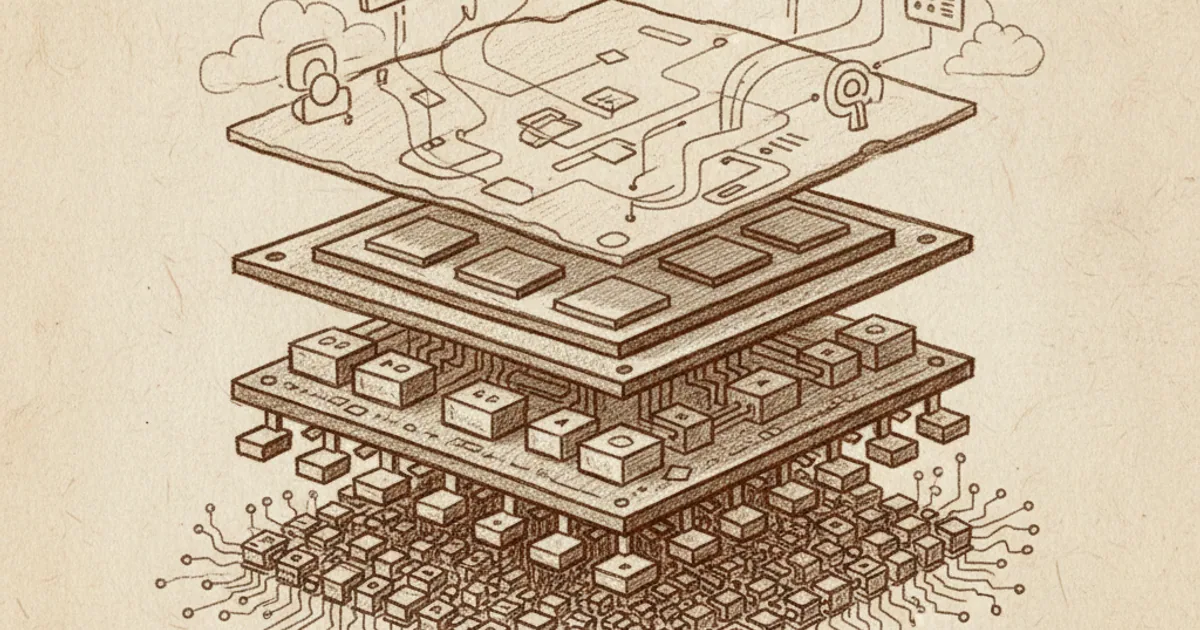
A stack of abstractions
A computer is one of humanity's most elaborate inventions. Trying to understand all of it at once is hopeless. Fortunately, computers are built as a stack of abstractions — layers, each of which hides the messy details of the one below.
From the bottom up, the levels roughly go:
- Physics. Electrons moving through silicon.
- Transistors. Tiny switches that can be on (1) or off (0).
- Logic gates. Combinations of transistors implementing AND, OR, NOT.
- Arithmetic and memory circuits. Adders, flip-flops, registers built from gates.
- CPU architecture. A machine that fetches instructions and runs them on those circuits.
- Instruction set. The vocabulary of operations the CPU understands.
- Operating system. Software that manages resources and runs other software.
- Applications. What you actually interact with — browsers, editors, games.
Each layer talks only to the one immediately below it. You don't have to know quantum mechanics to write Python code; the abstractions above silicon hide it all. But every program eventually decomposes into electrons moving through gates.
The other articles in this cluster zoom in on specific layers: what a bit is, how the internet works, what an algorithm is, and how encryption works.
Layer 1-2: Transistors as switches
At the bottom is electricity. A computer chip is mostly silicon — a semiconductor whose conductivity can be turned on or off by applying a small voltage. A transistor is essentially a tiny electrically-controlled switch: when you apply voltage to its gate, current flows between two other terminals; when you remove it, current stops.
That's all a transistor does. Switch on or off. But you can make them very small and very fast. Modern transistors are about 5 nanometres across. A modern CPU has 10-50 billion of them on a piece of silicon the size of a fingernail. Each can switch billions of times per second.
The "1" or "0" interpretation: by convention, a transistor switched on represents 1; switched off represents 0. This binary representation runs through the entire stack — at every layer above, everything is ultimately stored and processed as 1s and 0s. (See what is a bit.)
Layer 3-4: From switches to arithmetic
A few transistors combined together implement a logic gate: a circuit that takes one or two inputs (each a 0 or 1) and produces an output by following a specific logic rule.
- AND gate. Outputs 1 only if both inputs are 1.
- OR gate. Outputs 1 if either input is 1.
- NOT gate. Outputs the opposite of its input.
- XOR gate. Outputs 1 if exactly one input is 1.
That's the entire vocabulary of digital logic. Every digital circuit ever built decomposes into combinations of these.
Combine the right gates together and you can build:
- A binary adder that takes two binary numbers as input and produces their sum.
- A multiplier, comparator, shifter — all standard arithmetic.
- A flip-flop that stores one bit of memory — it can be set to remember 0 or 1 until told to change.
- A register (group of flip-flops) that stores multiple bits — like a small piece of memory.
The components at this level are still very simple. The miracle is that they compose. With enough gates and flip-flops wired together, you can build something far more sophisticated.
Layer 5: The CPU
A central processing unit is a circuit that takes instructions from memory and executes them. Modern CPUs are extraordinarily complex, but conceptually they do four things in a loop:
- Fetch the next instruction from memory.
- Decode what the instruction means.
- Execute the instruction on data in registers.
- Write back the result.
Each iteration is a clock cycle. Modern CPUs run at 3-5 GHz — 3-5 billion cycles per second. With multiple cores doing this in parallel and modern architectural tricks (pipelining, branch prediction, out-of-order execution), a single chip can execute hundreds of billions of instructions per second.
The instructions themselves are simple operations:
- "Add the value in register A to the value in register B, store result in register C."
- "Compare value in register A to 0; if equal, jump to the instruction at memory address X."
- "Read the byte at memory address Y into register A."
Everything a computer does eventually decomposes into long sequences of such instructions.
Layer 6: The instruction set
The set of operations the CPU understands is called its instruction set architecture (ISA). Different CPU families have different ISAs:
- x86 / x86-64: most desktop and laptop CPUs (Intel, AMD).
- ARM: most phones, recent Apple laptops, many embedded devices.
- RISC-V: an open-source design, increasingly common.
Software compiled for one ISA can't run on another without translation or emulation. This is why Mac apps from the Intel era needed to be re-compiled when Apple switched to ARM-based chips.
Layer 7: The operating system
The OS is the software that:
- Allocates memory and CPU time among multiple programs.
- Manages the file system on storage devices.
- Controls hardware (display, keyboard, network, etc.) on behalf of programs.
- Provides services that programs can request (open a file, create a window, send data over the network).
Major desktop OSes are Windows, macOS, Linux. Mobile: iOS, Android. Embedded systems run smaller OSes or none at all.
Without an OS, every program would need to handle its own hardware directly, which would be terrible. The OS abstracts the hardware so applications can be portable.
Layer 8: Applications
Programs you actually use. Browsers, editors, games, AI models, this article's render-build pipeline. Applications run on top of the OS, ultimately turning into long sequences of CPU instructions that flip transistors that move electrons.
Why this matters
Most users never see below layer 8. That's fine — abstractions are the point. But knowing the stack exists changes how you understand what your computer is doing:
- Performance. A program is slow because it's executing too many instructions, or because it's waiting for slower components (disk, network), or because instructions are competing for shared resources. Most performance work happens at layers 6-8.
- Bugs. Each layer has its own kinds of bugs — silicon errata at layer 4, OS bugs at layer 7, application bugs at layer 8. Distinguishing which layer is broken is most of debugging.
- Security. Attackers exploit weaknesses in specific layers. A buffer overflow at layer 7 lets attacker-supplied data become instructions at layer 5.
- AI and accelerators. Specialized chips (GPUs, TPUs, NPUs) are layer-5-6 specializations for math operations needed in machine learning.
Why computers got fast
The transistor count per chip has roughly doubled every 18-24 months for decades — Moore's law. A 1971 Intel 4004 had 2,300 transistors. A 2024 Apple M4 has ~28 billion. That's a factor of 10 million.
Moore's law is slowing. Transistors can't get much smaller than they are without quantum effects becoming dominant. Improvement now comes from:
- Better chip architecture (more cores, specialized accelerators).
- "Chiplet" designs that combine multiple smaller dies.
- Better materials and packaging.
- Software efficiency improvements.
Computers will keep improving, but slower than the headline-Moore's-law era of the 1990s-2010s.
If you'd like a guided 5-minute course on how computers work at any layer of the stack, NerdSip can generate one.
The takeaway
A computer is a stack of abstractions — billions of transistor switches at the bottom, applications you interact with at the top, each layer hiding the complexity below. Logic gates combine transistors into arithmetic and memory. CPUs execute simple instructions billions of times per second. Operating systems manage hardware and software. Applications give you everything you actually do. Knowing the stack exists changes how you read claims about computer performance, debugging, security, and what's possible.

Comments 0
No comments yet. Be the first to share your thoughts.